
Ticket giveaways are here on Attndly
You can now run a ticket giveaway on Attndly. Buy a batch of tickets in one go, share one link, and let people claim theirs, first come, first served.

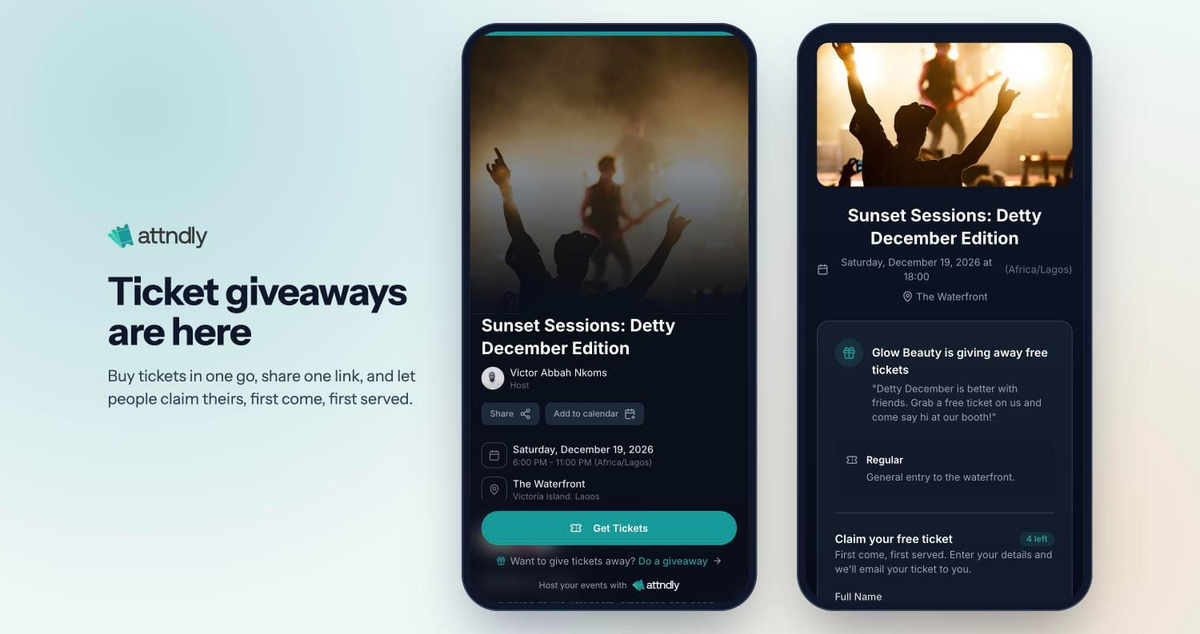
You can now run a ticket giveaway on Attndly. Buy a batch of tickets in one go, share one link, and let people claim theirs, first come, first served. Everyone who claims gets their own ticket, in their own name, straight to their inbox.
Why we built it
Giveaways are everywhere. Influencers do them, brands do them, churches and student groups do them. But giving away event tickets has always been clunky. You buy ten tickets, they all land in your inbox with your name on them, and then you spend the week collecting names in your DMs and forwarding emails one by one.
Ticket giveaways fix that. You pay once, share a link, and the people you are giving to fill in their own details and get their own tickets.
How a giveaway works
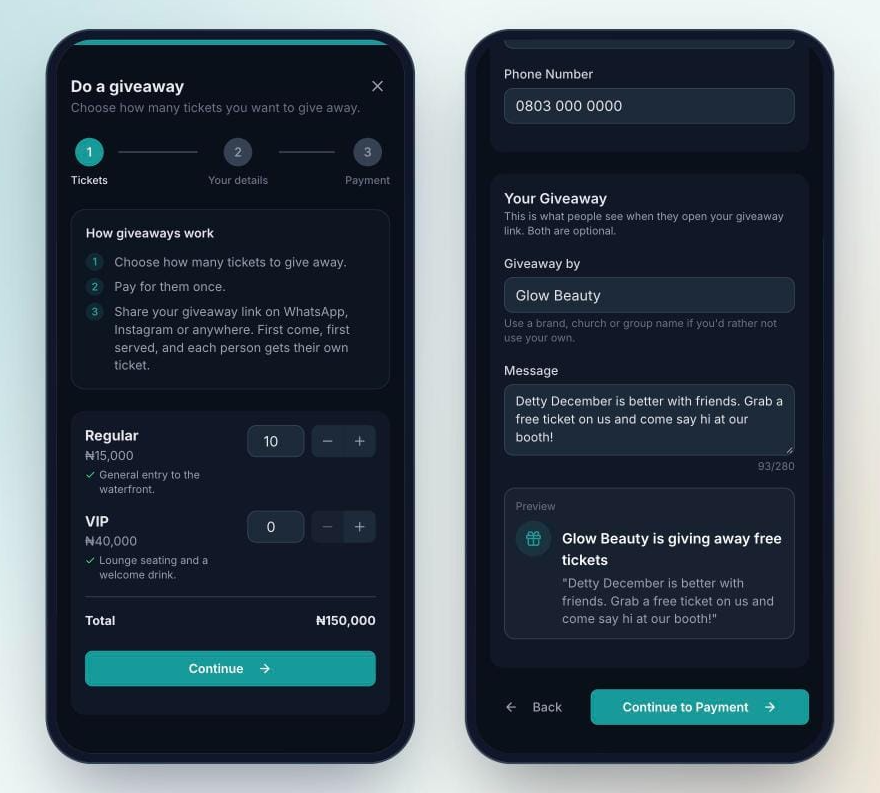
On any event that allows giveaways, you will see a new line under the Get Tickets button: Want to give tickets away? Do a giveaway. Tap it and you are three steps away from a live giveaway.
- Pick your tickets. Choose how many of each ticket you want to give away, up to 50 of each at a time.
- Make it yours. Add the name people will see, like your brand, church or group, and a short message. Both are optional.
- Pay once. Checkout works just like buying tickets for yourself.
One link, first come, first served
As soon as your payment goes through, you get your own giveaway page, and we email you the link so you can always find it again. It has a giveaway link ready to copy, or to share straight to WhatsApp with one tap. Post it on your Instagram story, drop it in a group chat or put it in your bio.
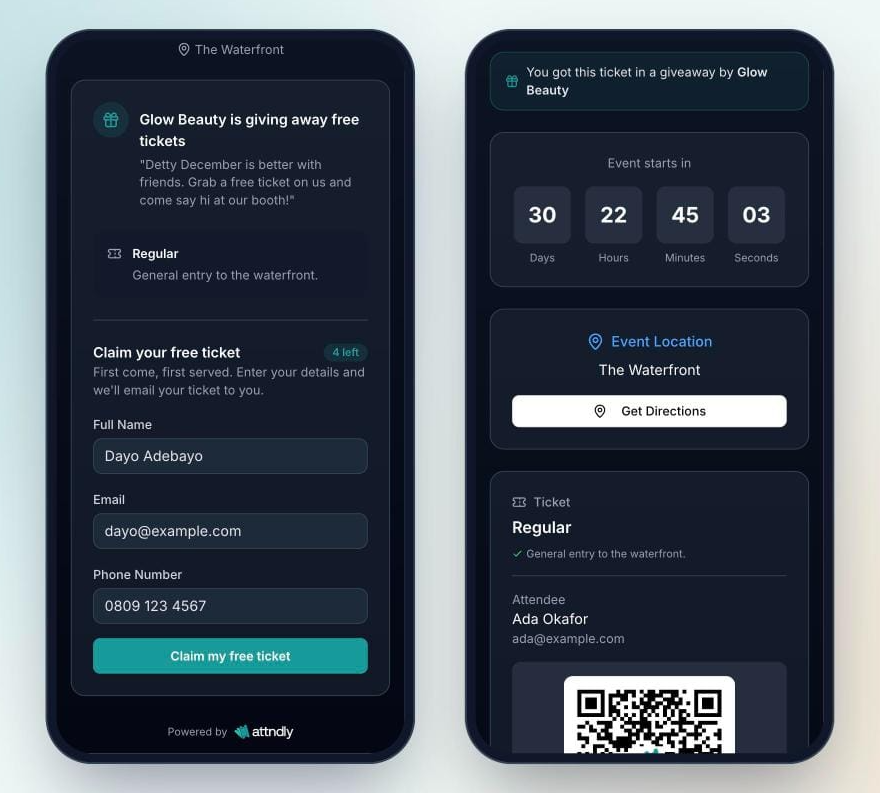
Anyone with the link can claim a ticket by entering their name, email and phone number. Each email address can only claim once, so one person can't scoop up the whole giveaway.
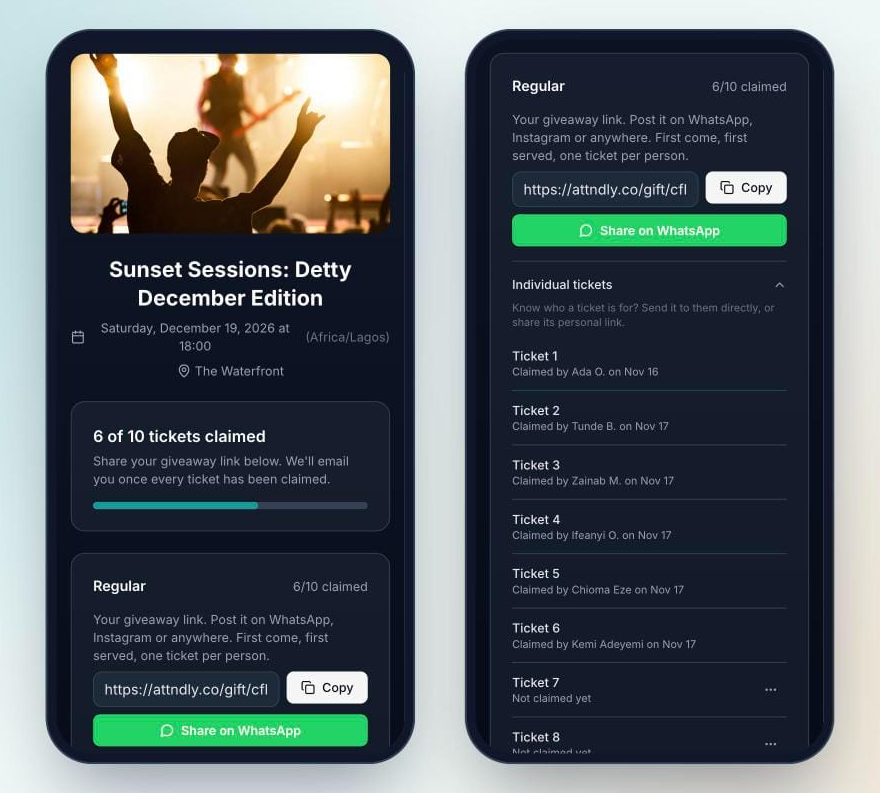
Your giveaway page shows how many tickets have been claimed and who claimed them, so you can watch it fill up in real time. We email you when the last ticket is claimed. If you still have tickets left a couple of days before the event, we send you a reminder so none of them go to waste.
Already know who a ticket is for? Open Individual tickets on your giveaway page. From there you can send a ticket straight to someone's email, or copy a personal link that only works for that one ticket. If a personal link ends up in the wrong hands, reset it and the old one stops working.
What your winners see
When someone opens your giveaway link, they see who the giveaway is from, your message, and how many tickets are left. They fill in their details and claim, with no account or sign-up needed.
Their ticket arrives by email with its own QR code for check-in, and it shows who the ticket came from. So when your followers walk into the event, they know exactly who to thank.
Who it's for
- Brands and sponsors: give tickets to your customers and put your name in front of everyone who opens the link.
- Influencers and creators: reward your followers with a giveaway that takes a few minutes to set up.
- Churches, schools and companies: buy tickets for your members, students or staff without collecting everyone's details first.
- Friends and family: treat your people to a night out and let them grab their own tickets.
For event organizers
Giveaways are off by default, so nothing changes on your events until you say so. To turn them on, open your event, go to the Settings tab and switch on Allow ticket giveaways. You can also turn it on while creating or editing an event.
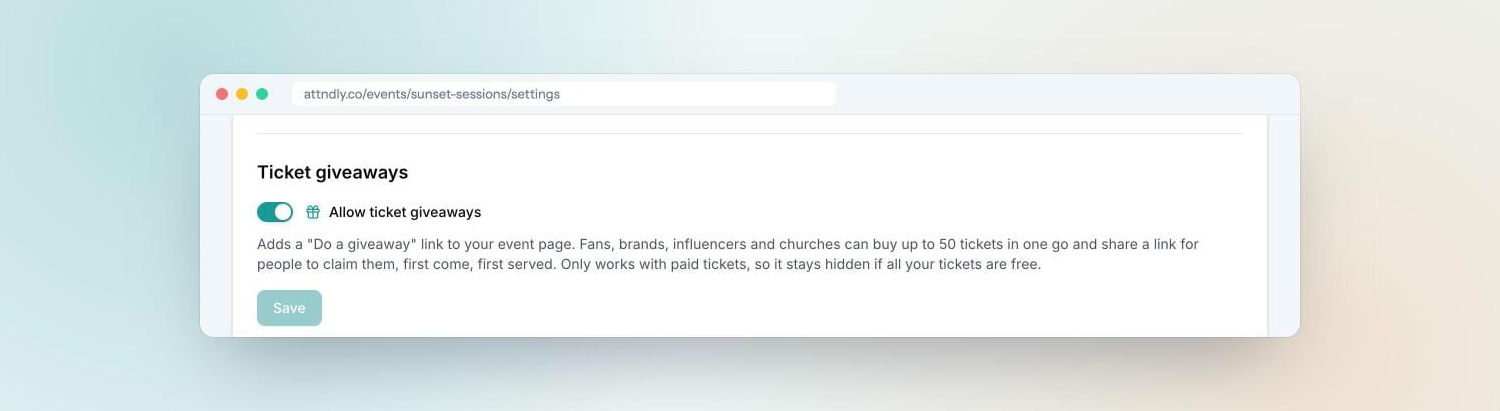
Giveaways only work with paid tickets, so the link stays hidden on events where every ticket is free. Here is why it is worth switching on:
- You get paid upfront. A giveaway is a regular paid order. You are paid for every ticket when the giveaway is bought, just like any other sale.
- Your event reaches new people. Every giveaway link gets shared with the giver's own audience, people who may never have come across your event.
- It gives sponsors an easy yes. Instead of a logo on a flyer, a brand can sponsor a giveaway and get their name in front of real fans.
- You can see everything. Giveaway attendees show up in your attendee list with a Giveaway by tag, giveaway orders show how many tickets have been claimed, and your event overview tells you how many giveaway tickets are still waiting for someone.
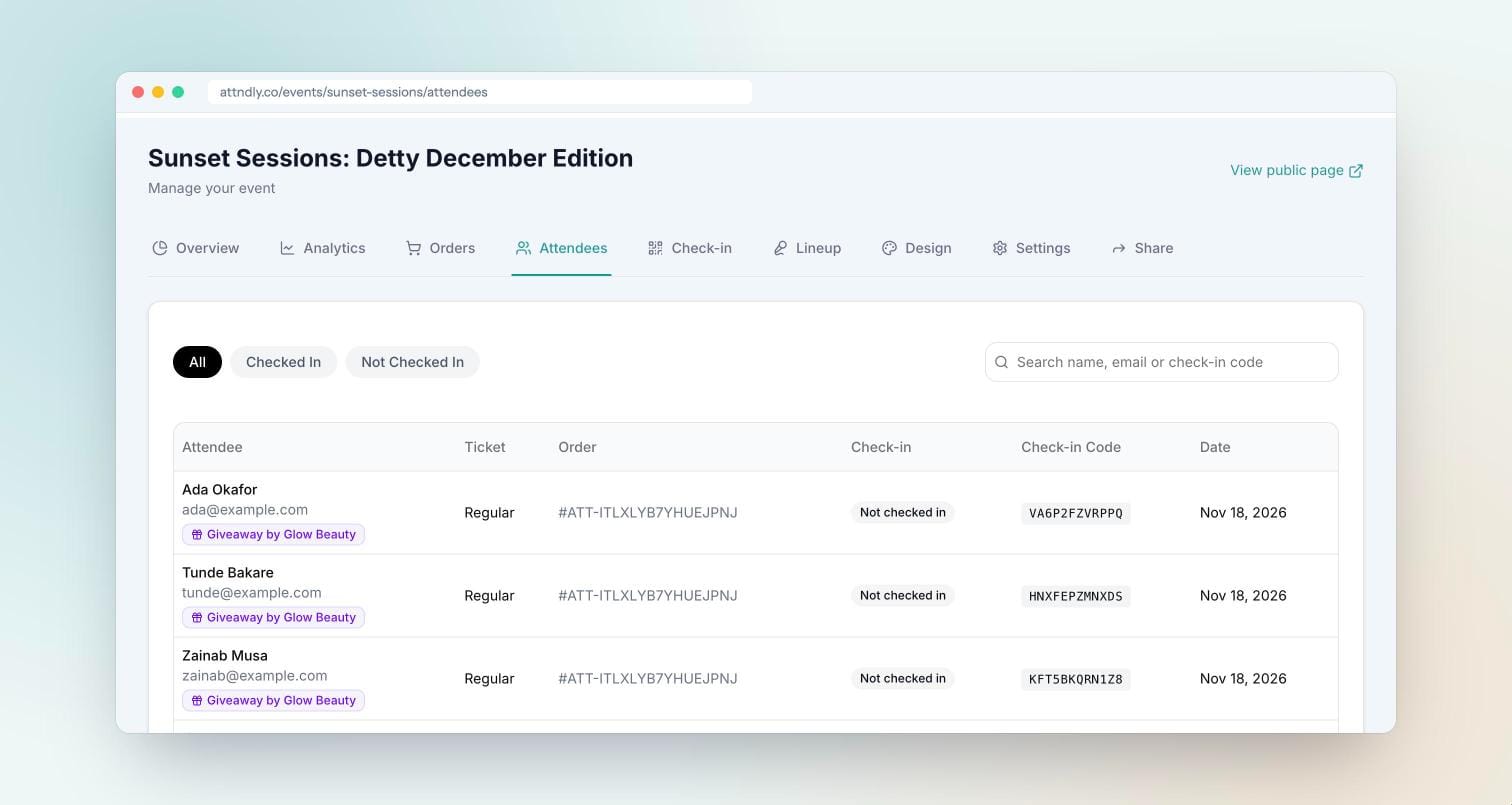
Giveaways sit alongside the other ways to grow your event on Attndly, like donations from people who want to support you and event analytics that show you where your visitors come from.
Get started
If you organize events:
- Open your event from the dashboard and go to the Settings tab.
- Switch on Allow ticket giveaways and click Save.
- Let your sponsors, partners and biggest fans know they can now do a giveaway for your event.
If you want to give tickets away, open the event page, tap Do a giveaway under the Get Tickets button and follow the steps.
New to Attndly? Here is how to create your first event, step by step.